Issues
The link problems worth fixing, one check at a time, with the pages affected.
How the view works
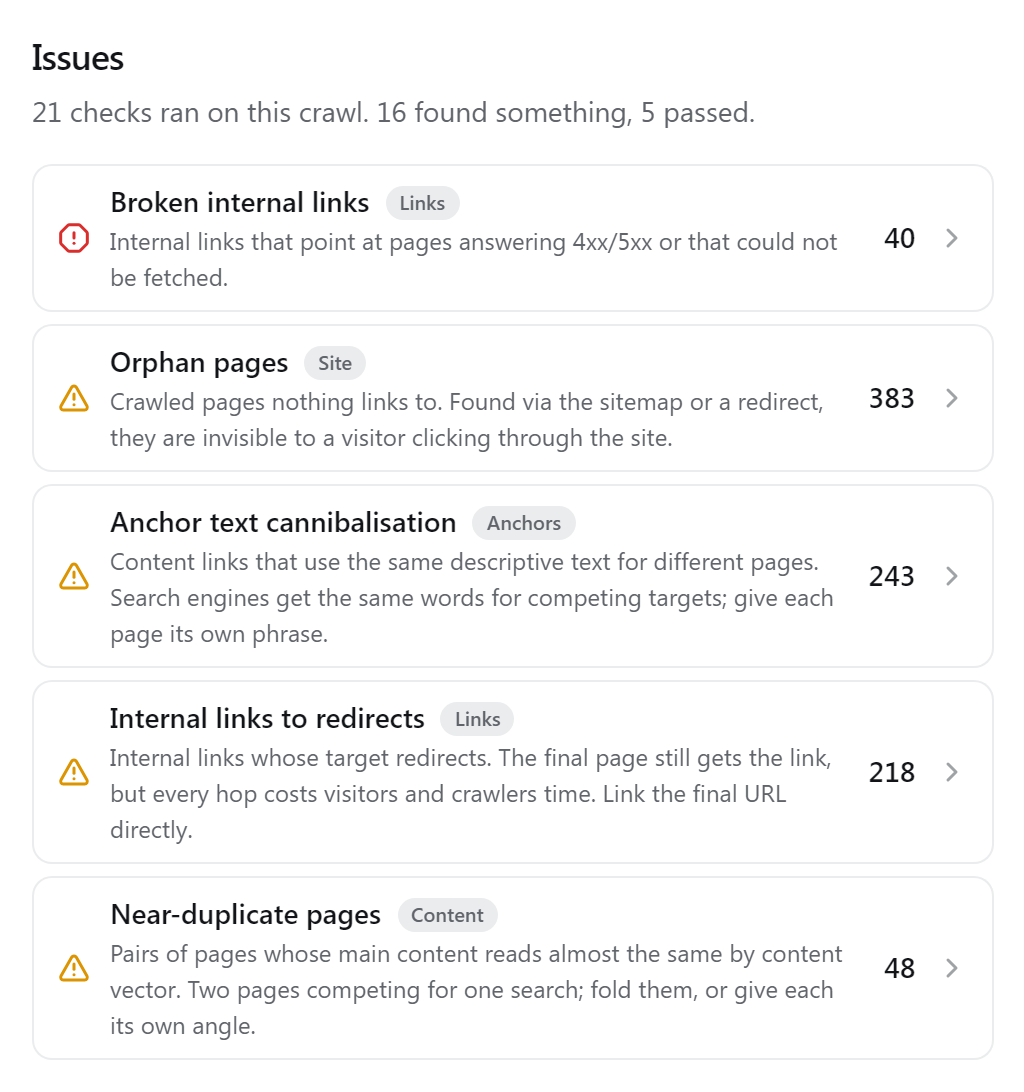
Every crawl runs 21 checks. The rail lists each check that found something, under its short name and with its count: errors first, then warnings, then info. The view shows one check at a time with the pages it found.
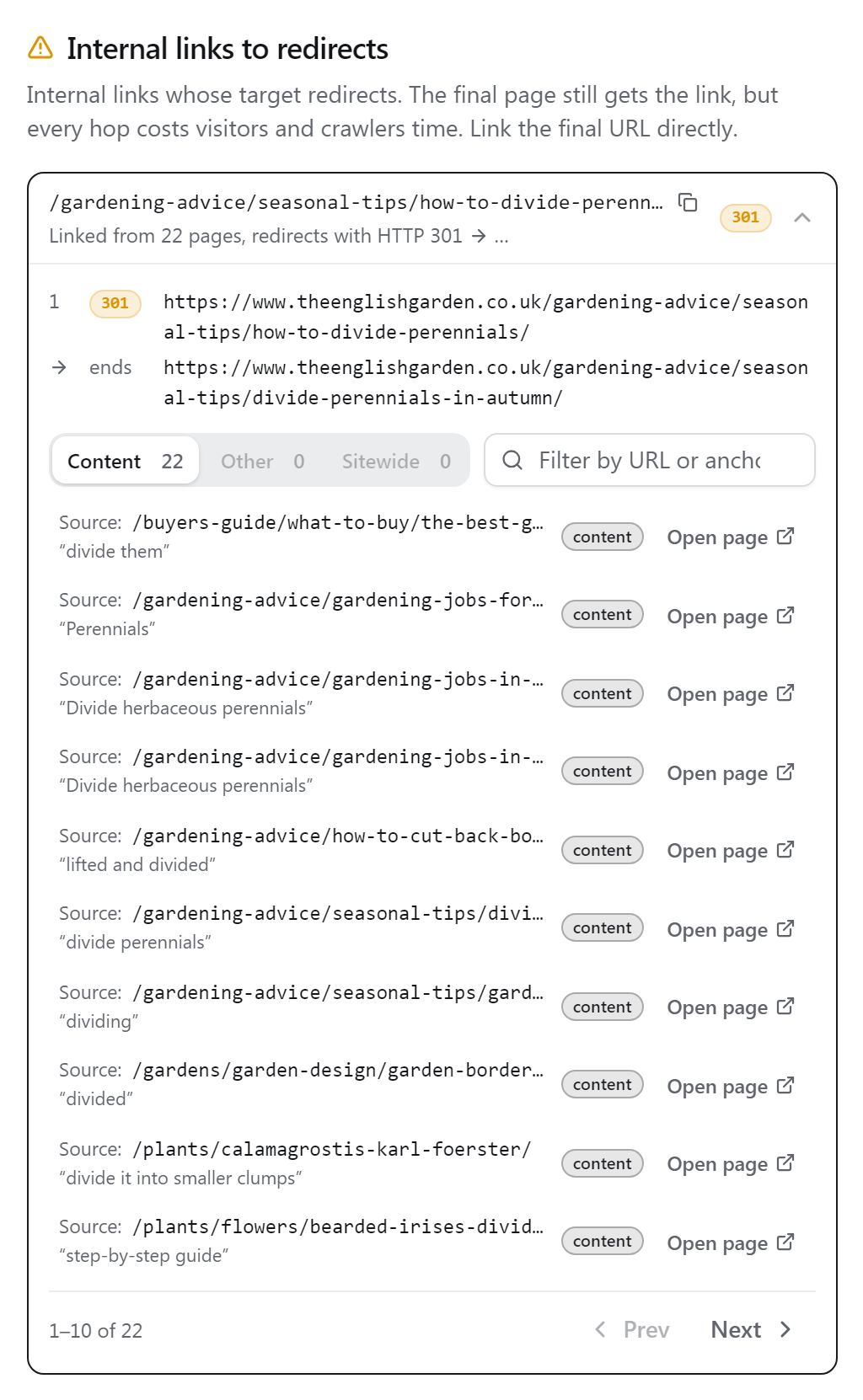
Open a row for the evidence and the fix: the redirect chain hop by hop, the status a broken URL answers, the links that point to it. From there All details opens the page in Pages and Open opens it on your site. CSV exports every row of the check.
Errors are broken, warnings cost link value or reach, and info is worth knowing but often intended (a noindex page, a temporary redirect). The Issues badge and the overview count errors and warnings only.
Links
Links that spend value on a page that cannot use it, or only after a detour.
- Broken links (error)
- Internal links to a URL that answers 4xx or 5xx, or does not answer at all. Correct or remove the links, or redirect the URL to a page that answers.
- Redirect links
- Links to a URL that redirects. Change them to the final URL.
- Redirect chains
- A URL that takes two or more redirects to reach the final page. Redirect the first URL straight to the last one, and point the links at it.
- Temp redirects (info)
- URLs that answer 302 or 307. A temporary redirect keeps the old URL in the index; answer 301 if the move is permanent.
- Noindex targets
- Linked pages that carry noindex. Their links spend value on a page that cannot rank.
- Canonicalised
- Pages whose canonical tag names a different page (http/https, www. and a trailing slash are ignored).
- Blocked targets
- Links to pages robots.txt blocks, so the crawler could not read them.
- Nofollow links (info)
- Internal links with rel="nofollow". They take their share of the page's value and pass none of it.
Site
Pages that are hard to find by following links.
- Orphan pages
- Crawled pages no internal link points to. The detail says how the crawl found them and lists pages that could link there.
- Click depth
- Pages more than five clicks from the start page (pages 2 and later of a listing are left out).
- Pagination only (info)
- Pages every click path to which passes page 2 or later of a listing. A link from the listing's first page or a related page brings them within reach.
- Dead ends (info)
- Pages without a single link in their content: visitors and link value can only leave through the navigation.
Anchors
What the link text says about its target.
- Generic anchors
- Pages whose content links all use text like “click here” or “mehr”, the bare URL, or no text.
- Cannibalisation
- The same descriptive text used by content links for different pages.
- Empty anchors (info)
- Links with no text, mostly images without alt text. Search engines read an image link's alt text as its anchor.
Sitemap
Where the sitemap and the site disagree.
- Non-indexable
- Sitemap entries that cannot be indexed: blocked, an error, a redirect, noindex, or canonicalised to another page.
- Not in sitemap (info)
- Indexable pages the sitemap does not list. Only checked when the crawl found a sitemap.
Content
Pages whose content weakens the links to and from them.
- High outlinks
- Pages with more than 200 different internal link targets, not counting the sitewide navigation. Each link gets a thin share of the page's value.
- Near duplicates
- Pairs of pages whose content is at least 90% the same. Pairs where one names the other as canonical are left out.
- Thin pages (info)
- Pages with fewer than 150 words of main content.
- Noindex pages (info)
- Crawled pages that carry noindex, in the meta robots tag or the X-Robots-Tag header.
Where to start
Fix broken links first, then redirected links and chains: they are quick to change and each one returns value to a real page. Orphan and deep pages are next; Suggestions lists the places to link them from.