Depth
How many clicks each page sits from the start page, and the path that gets there.
Click depth
A page's click depth is the smallest number of clicks it takes to get there from the start page over internal links. Every link a visitor can click counts, the navigation and footer included, and redirects are followed. The further down a page sits, the less link value reaches it and the fewer visitors do.
A good rule: keep important pages within 3 clicks and every page within 5. The overview counts pages more than 3 clicks deep as Deep pages; the Click depth check in Issues lists those more than 5 clicks deep.
The distribution
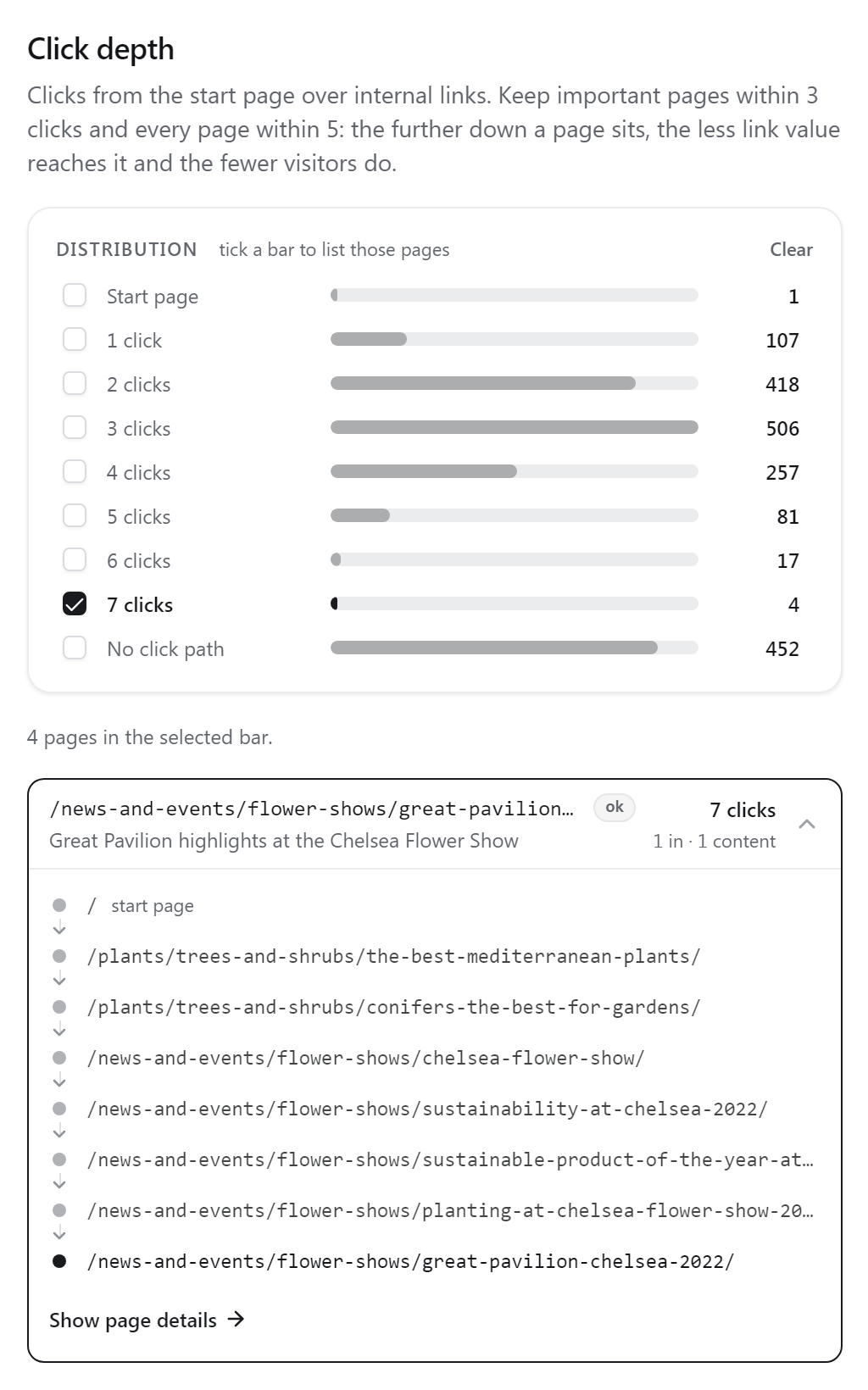
The bars show how many pages sit at each depth, from the start page down, plus:
- No click path: pages the crawl found (in the sitemap, for example) that no chain of links reaches.
- Only via pagination: pages that can only be reached by paging through a listing (page 2, 3 and on). These also appear in their depth bar.
Tick one or more bars to list their pages; Clear goes back to every page, deepest first.
The click trail
Open a page in the list to see its click path from the start page, one URL per click, while the graph draws the same path with a number on each step. A depth says “four clicks”; the trail says which four, which is what you change to shorten it. Where two paths are equally short, the one through the stronger page is shown.