Anchors
What the link text says about the pages it points to.
Why anchor text matters
Search engines read a link's text as a description of the page it points to. A page linked only as “more” or “click here” gets no help from its links, and a phrase used for several different pages leaves it unclear which of them the phrase is about. The Anchors view has two lists for these two problems: By page and By anchor.
Kinds of anchor text
Every anchor is sorted into one kind by fixed rules, with word lists for English, German, Dutch, French, Spanish and Italian:
- descriptive
- Words that could describe the target page. Everything not in one of the kinds below.
- generic
- A prompt or filler that names nothing: “click here”, “read more”, “mehr”, a page number, a symbol such as ».
- site name
- Only the site's own name. Fine for the home page, says nothing about any other page.
- bare URL
- The address itself as the link text.
- no text
- No anchor text at all, usually an image link without alt text.
An anchor describes a page when it shares a meaningful word with the page's title or H1: a word of four letters or more, a token with a digit in it, or an acronym. Longer words also match by their stem, so “shipping” matches “shipping costs”. The part of the title every page shares, such as “| Your Shop”, is ignored.
By page
Each crawled page with the anchor texts its inbound links use, pages with the most content links first. A row shows how many content links the page has and how many different anchors they use, with badges for what is wrong:
- not described: none of its content anchors shares a meaningful word with its title or H1.
- A badge per weak kind its content links use (generic, bare URL, site name, no text), with a count.
The filter above the list narrows it to pages that are Not described, linked with Generic only anchors, or linked at least once with a given weak kind. Open a row to see its anchor texts, most used first, and the pages that link with each one.
What to do: for a page that is not described, change a few of the links pointing to it so their text names what the page is about.
By anchor
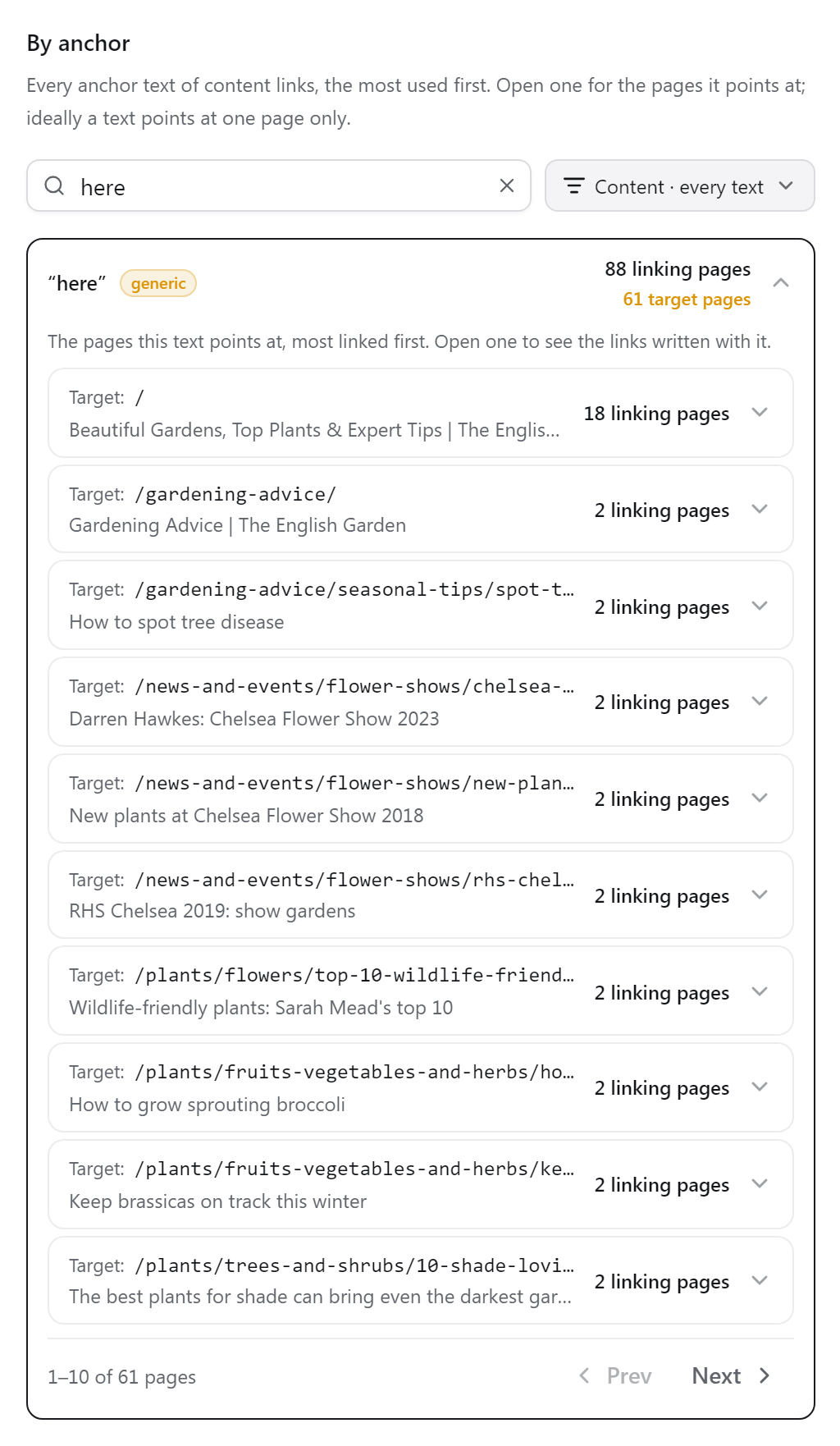
Descriptive anchor texts that content links use for more than one page. A row shows the text and how many different pages it points to; open it to see those pages, most linked first, and the links behind each.
What to do: give each target its own phrase, or point the shared phrase at the one page that should rank for it.
The region menu changes what the list covers. By default it counts only links in page content; it can also show navigation, header, footer or sidebar links, or repeated content blocks (parts of the content that recur across the site, such as a related-products carousel). The list shows every anchor text with its kind and how many pages use it; tick Only show cannibalizing anchors for the descriptive texts used for more than one page.
Related issues
Three checks in Issues come from the anchors: Generic anchors (pages whose content links all use generic text, the bare URL or no text), Cannibalisation (one descriptive text for several pages) and Empty anchors (links with no text, mostly images without alt text).